Projects 2026 live
Iceberg Lens
A desktop tool that draws an Iceberg, Paimon or Delta Lake table's metadata as a graph you can walk snapshot by snapshot, and checks every recorded figure against the files. It also runs in IntelliJ and as a CLI.
Kotlin, Compose Desktop

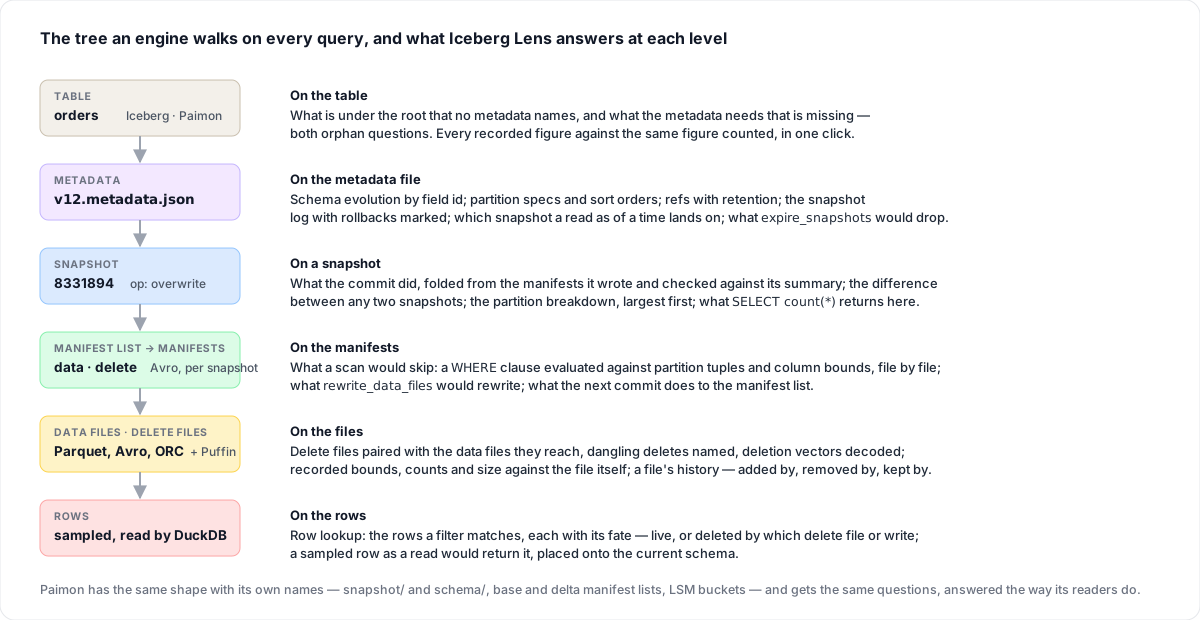
Iceberg Lens is a desktop tool for looking at Apache Iceberg, Apache Paimon and Delta Lake tables as they actually are on disk. It draws the metadata files, manifest lists, manifests and data files as a graph, and you can walk through that graph one snapshot at a time. Click a node and the side panel shows what the file says, such as the schema, the partition spec or the changes a snapshot brought in. You no longer have to open the Avro, JSON and Parquet files by hand.
Next to every figure the metadata records, it also shows the same figure counted from the files. That way you can check a table, not only read it, and one click compares all of them. You can also enter a filter to see which files a scan would skip and which rows it would return. For maintenance work like snapshot expiry, compaction, orphan cleanup and VACUUM, it plans the job the way the engine would plan it, before anything is run.
The same engine runs inside an IntelliJ tool window and behind a command line called icelens. Its integrity check exits with 1 when it finds a disagreement, so a CI step can stop on it. A table can be opened from a local folder, from S3, GCS or R2, or from HDFS. Nothing is ever written back.
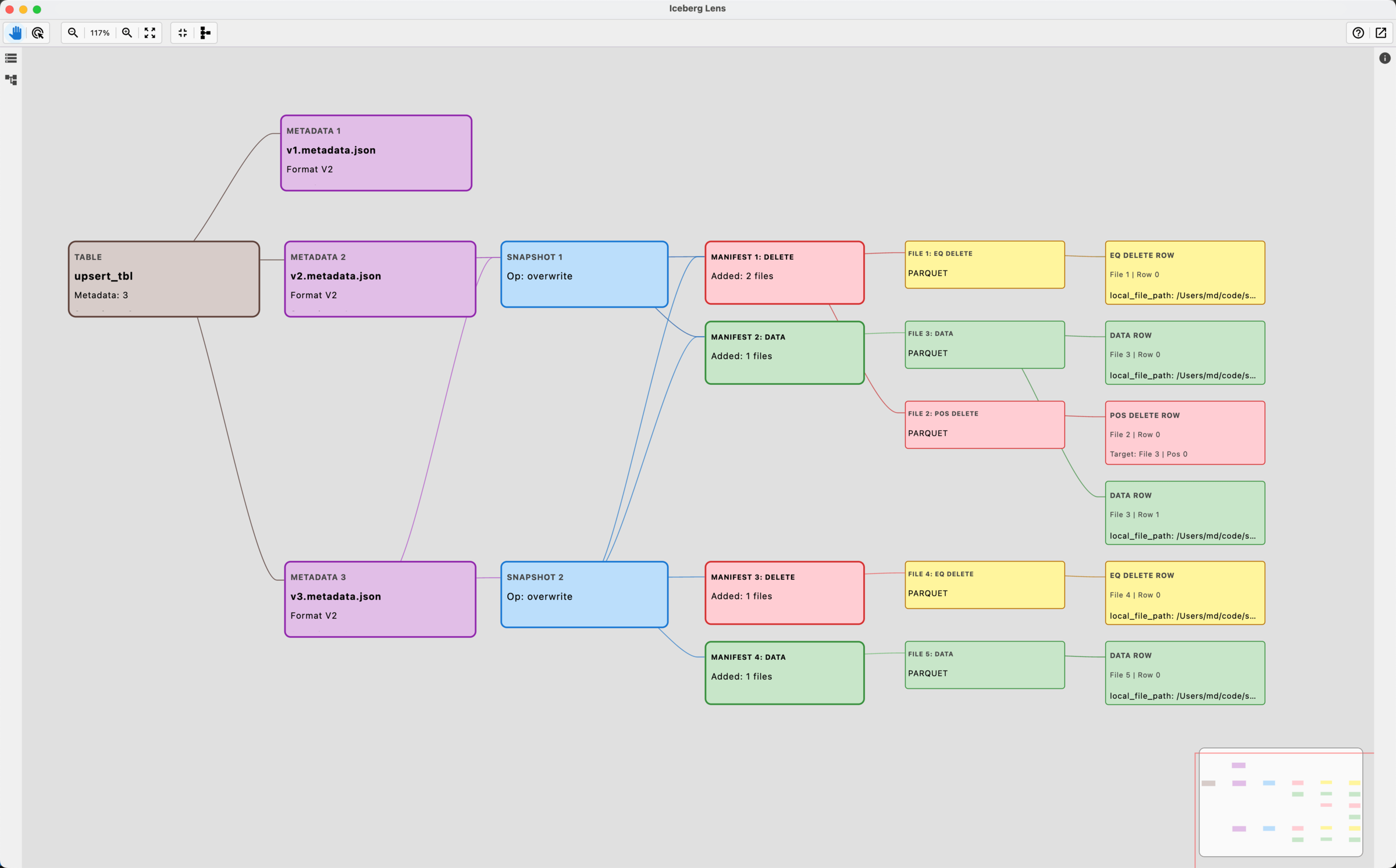
I built it because I was spending my days on Iceberg and kept rebuilding this picture in my head while debugging. It is written in Kotlin with Compose Desktop, and it is open source. There is also a post that walks through a real table with it.